 Choremaster
Screen Time
A free add-on for Choremaster2000 that limits each kid's time on the family computer. You set it from your device.
Choremaster2000 required. Start your family in Choremaster2000 first (30 days free), then add your computers.
What it does
Daily limits
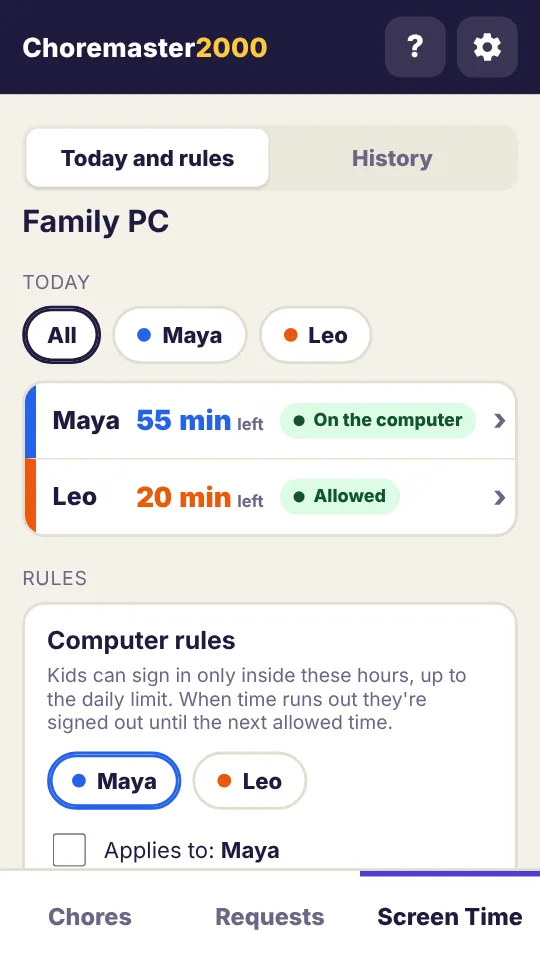
Set each kid's daily minutes and the hours they're allowed on the computer.
From anywhere
See who's on the computer and how much time is left. Add time, lock or unlock an account from your device.
Fair warnings
Kids can get audio and/or visual warnings before time runs out. Then they're signed out until their next allowed time.
What you need
- The Choremaster2000 app. Screen Time is included with it at no extra cost.
- A computer with Windows 10 or 11, macOS 12 or newer, or Linux (most versions, such as Ubuntu, Debian, Fedora and Mint).
- Recommended - A separate account on the computer for each kid, that isn't an administrator.
Setting it up
- On the kids' computer, sign in to your own account and download Screen Time.
- Install it and pick the kids' accounts.
- In Choremaster2000, go to Settings › Screen Time › Add a computer and enter the code it shows on the computer.
Step-by-step instructions for each kind of computer are on the download page. You only install it once; after that it updates itself.